A QR code on your van. A link in your bio. Your AI answers either way.
Every BotChap chatbot comes with a unique QR code and a direct link. Tape it to your door, van, or flyer. Put it in your Instagram bio. Clients reach your AI without a website.
Most AI chatbot tools are built for websites. But a lot of solo professionals don't have one. Clients find them on Instagram, drive past their van, or pick up a flyer at a coffee shop.
BotChap gives every chatbot a permanent QR code and a direct link. No website required. Your AI goes wherever your clients find you, not just on a homepage.
Handymen put it on their van. Trainers post it in the gym. Therapists add it to their Psychology Today listing. Airbnb hosts tape it to the fridge.
What QR Code Chatbot Does for You
No website needed
Your QR code and direct link work on their own. Clients scan or tap and go straight to your AI chatbot.
Print it anywhere
Business cards, flyers, stickers, signs, menus. Wherever your business is visible, your AI can be there too.
Share it anywhere online
Instagram bio, WhatsApp status, email signature, SMS messages, Google Business profile. Anywhere you can share a link.
Always there when you're not
A phone number rings when you're busy. A QR code connects clients to your AI at any hour, with no interruption to your work.
Tracks who scanned and what they asked
Analytics show how clients reached your chatbot, QR code, link, or embed, and what questions they asked.
Unique Per Widget
Create different widgets for different use cases, a van QR for job inquiries, an Instagram link for bookings, a website embed for existing clients. Each gets its own QR and link.
Real-World Examples
See how solo professionals use this feature every day.
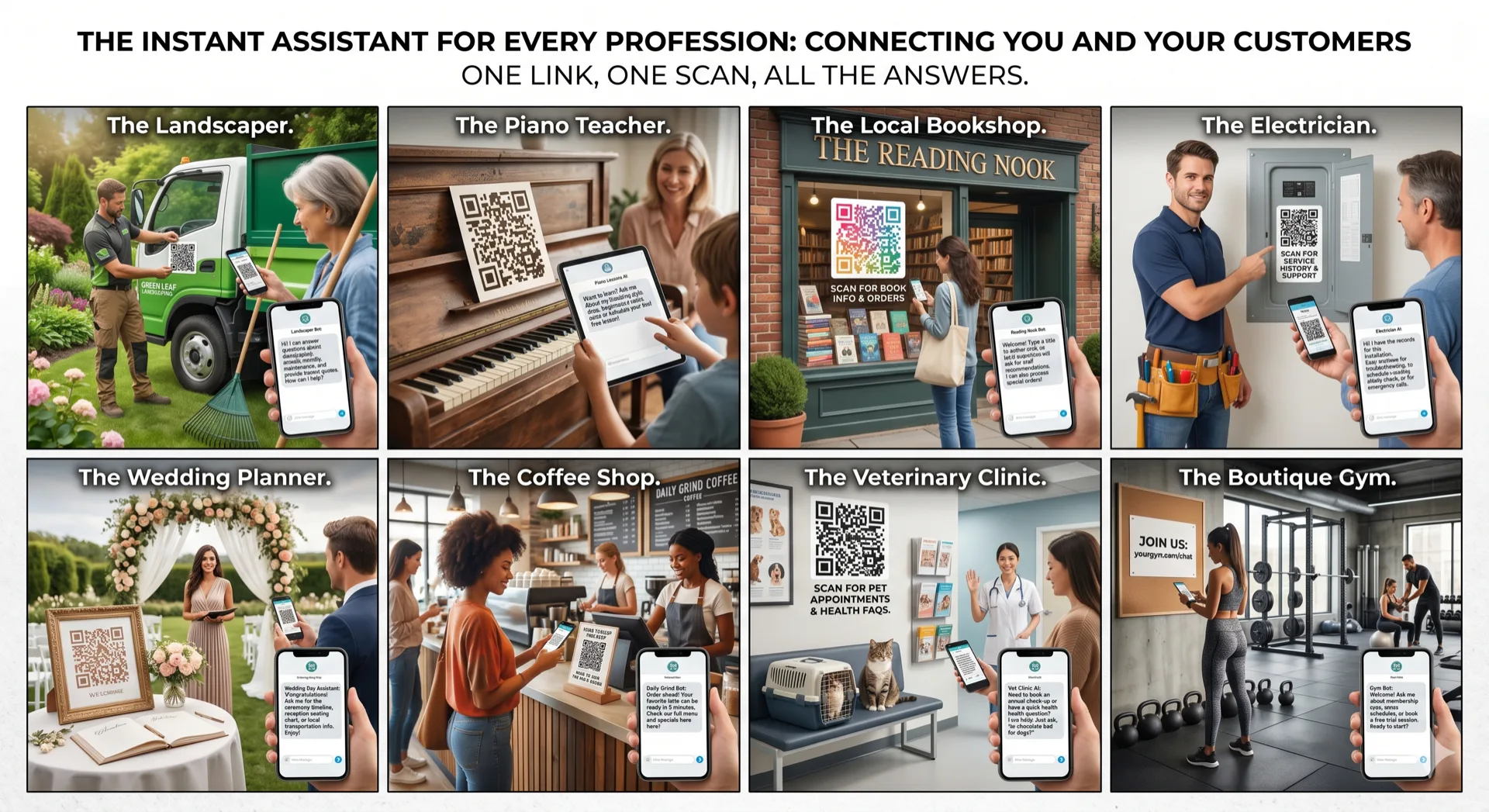
Tapes a weather-resistant QR sticker to his van window. Homeowners who see the van on the road scan the code, ask about services and pricing, and book a job, before the handyman is even home.
Puts a direct link in their Instagram bio. Followers tap the link, the AI explains training packages, answers "do you work with beginners?" style questions, and books a free consultation.
Adds the direct link to their email signature. Prospects who receive emails can click directly to the AI, ask about services and pricing, and book a discovery call.
Tapes a QR code to the refrigerator door. Guests scan on arrival and get instant answers about WiFi, checkout time, parking, house rules, and local restaurant recommendations.
Frequently Asked Questions
Where can I find my chatbot's QR code and direct link?
Inside your BotChap dashboard, open any widget. The QR code and direct link are displayed on the widget's detail page, ready to download or copy.
Does the QR code expire?
No. Your QR code is permanent as long as your account is active. Print it without worry, it will always work.
Can I use the QR code on printed materials?
Yes. You can download the QR code as a high-resolution image suitable for print, business cards, flyers, vehicle wraps, window stickers, and signage.
Does the direct link work on all devices?
Yes. The direct link opens in any mobile or desktop browser. No app required, no download required, it works like any standard web page.
Related Features
Ready to try QR Code Chatbot?
Start free, no credit card needed. Upgrade to unlock AI features.